Greeting New k12 Employees at the Door – Response to Post about Google

This is a response to the post today from CBS This Morning  Inside Google workplaces, from perks to nap pods which caught my eye.

Everyone is familiar with the great features that Google offers its employees, but the following quote stayed in my mind after watching the video that goes along with the post.

Employees who are greeted on their first day of work by their managers along the lines of, hi, nice to meet you, we are going to be working together and does a few other things, those people end up 15% more productive in nine months. Continue reading

Posted in Customer Service | Tagged | Leave a comment

Three Original Photos Turned into Something Else

Using Cool iPad Apps to Document my 365Photo Declutter Project
For my 365 Photo Project this year I’ve joined the declutter bunch who are finding new homes for items they have at home that they no longer use, and taking a picture of the item before scooting it out the door. I’m taking the project a bit further, however, by taking the original photo and doing something fun with it, usually by uploading the photo into an iPad app. The idea is to encourage other educators to use their own photos for their blogs and other digital work. Click the photos for a larger view. Continue reading

Posted in 365Photo, Etchings, Foolproof, Phoster, PicPlayPost, Retromatic, Web 2.0 | Tagged , , , , , | Leave a comment

Using 32-bit and 64-bit IE Browsers in K12 Environment

If your school uses the Windows environment your computer probably has two versions of Internet Explorer to browse the Internet, a 32-bit and a 64 bit. Some sites you visit work better on 32-bit, the older version, and some work better on the newer 64 bit. Some will only work on one or the other. I have discovered that SharePoint versioning only works on the 32-bit version, not on 64-bit. Another thing to be aware of is if you update Java (for Infinite Campus for instance) or Flash (for Prezi for instance) only the browser you updated has the latest version. If you want Flash or Java on the 32-bit and 64-bit, you need to update both. By the way, both versions share one Favorites List so when you add a Favorite it will appear in both versions. Continue reading

Posted in SharePoint, Web 2.0 | Tagged , , | Leave a comment

Finding the URL of a Word Document Posted on SharePoint

sharepointRecently I was asked to create a list which requires staff members to provide a URL address of a Microsoft Word document that was compulsory to upload into SharePoint. In other words:

  1. someone uploads a document into a list into SharePoint, and then,
  2. they provide the URL address on a form they complete.

Although I did a screencast tutorial using Screencast-O-Matic explaining how to find the URL, I thought it would be fun to do another one in Doodlecast Pro  iPad app (showing a price of 99 cents today). Here are the steps I followed: Continue reading

Posted in Doodlecast Pro, iPad Apps, SharePoint, Web 2.0 | Tagged , | Leave a comment

Doodlecast Pro – iPad App

Photos 6, 7, and 8 – (January 6-8 – Sun, Mon, Tues) Three Art Books
In my quest of using photo apps to document my 365Photo project of decluttering my home, I downloaded the appGratis free iPad app of the day Doodlecast Pro and made a movie which you can see below. The usual cost is $3.99. This app could be a choice for educators flipping their classes or for students showing how they solved problems.

Continue reading

Posted in AppGratis, Doodlecast Pro, iPad Apps, Web 2.0 | Tagged , , | Leave a comment

Having Fun with iPad Photo Apps While Decluttering

Using the iPad apps Phoster and PicShop

I have been taking photographs of items I am donating, giving, or throwing away, and then putting them into iPad apps to make the photos more interesting, with the idea in mind of encouraging K12 educators to suggest to their students to use their own photos for their digital projects. You can get nice results very quickly or spend more time if you have it. This is part of the 2013 Photo365 Project. Below I am including photos for Friday, a fast project, and Saturday, which I spent more time on.

Continue reading

Posted in 365Photo, AppsGoneFree, iPad Apps, Phoster, PicShop, Web 2.0 | Tagged , , | Leave a comment

iPad Apps: PicPlayPost and Phoster

Using the iPad apps PicPlayPost and Phoster / Photo 3 – (January 3)

Adios Capri Pants
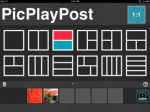
010313_p4Today’s photo is of some pink capri pants to be donated. I took a picture of them on the floor. Then I put them into PicPlayPost which is a simple program that has oodles of design templates to choose from. Pick a template and then plop your photos into the design. What could be easier? After putting in the photo of the pants and rotating it a bit, I added a photo of some roses that a coworker gave me some time ago that I have on my camera roll. I saved the photo to my camera roll. Continue reading

Posted in 365Photo, PicPlayPost | Tagged , | Leave a comment

Photo 2 of 365 Photo Project

Photo 2 – (January 2) Using the iPad apps Foolproof, PicShop and Phoster

The Vest
02jan2013I love messing around in iPad apps and sharing the information. Photo 1 below is the original photo I took. Photo 2 uses a frame from PicShop. I filtered Photo 3 in Foolproof and I used a Phoster template in Photo 4. I changed the wording in the template from “Do you love me?” to “The Investment” and changed the size of the fonts. Phoster had a plain white background and used black font. I used the vest as a background and changed the font color from black to white and yellow. Continue reading

Posted in 365Photo, Foolproof, iPad Apps, Phoster, PicShop, Web 2.0 | Tagged , , | Leave a comment

Photo 1 of 365Photo Project – Adios Clutter, Hola Phoster!

Photo 1 – Shower Curtain (January 1)

My first item for the year is a shower curtain sitting on a shelf, no longer being used. I took a picture of it on the washing machine before popping it into the washer and dryer to freshen it up before donating it. Picture 1 is the shower curtain on the washing machine, picture 2 is the feather I decided to use for my finished product which is picture 3. Continue reading

Posted in 365Photo | Tagged , , , | Leave a comment

How to Make it Mandatory to Attach a File in a SharePoint List

SharePoint_iconI had a request this week for help creating a SharePoint list on our Intranet that would make it mandatory to attach a file when completing a list form. People promise to send requested information at a later time and then neglect to do so. By making the file attachment a requirement of submitting the list, the problem disappears. Continue reading

Posted in List, SharePoint, Web 2.0 | Tagged | Leave a comment